English
 Español
 Português
 Русский
 Deutsch
 Francés
 العربية
 한국어
한국어
 Türk
Türk
 日本語
日本語

Can One CNC Glass Cutting Machine Handle Different Thicknesses?
The machine specification says it can handle your glass thicknesses. Good. Now give the supplier a cutting list with more than one thickness on it.
For example, put a short batch of 10 mm glass between two batches of 4 mm glass, assuming both are within the proposed machine’s capability. That’s a useful demonstration for a factory handling mixed orders. You get to see the cutting, of course, but also the adjustments that happen when one job finishes and another begins.
Those few minutes deserve attention. On a long production run, setup work is spread across plenty of sheets. With small batches, the operator comes back to it again and again.
Find Out What Changes Between Jobs
A thickness range is one of the first things buyers check on a CNC glass cutting machine. It belongs on the specification sheet, but it needs a little explanation.
The range may involve more than one wheel or tooling arrangement. Some settings may be recalled through the control; other changes may need the operator at the cutting head. Until the supplier explains the quoted configuration, you won’t know how the next job gets ready.
Take that example of moving from 4 mm to 10 mm glass. Have the demonstrator work through the change in the normal way. If a different wheel is needed, include the replacement and adjustment in the demonstration. If the proposed setup covers both jobs without a wheel change, get that confirmed for the actual material being tested.
There’s no reason to expect every machine to handle this in the same way.
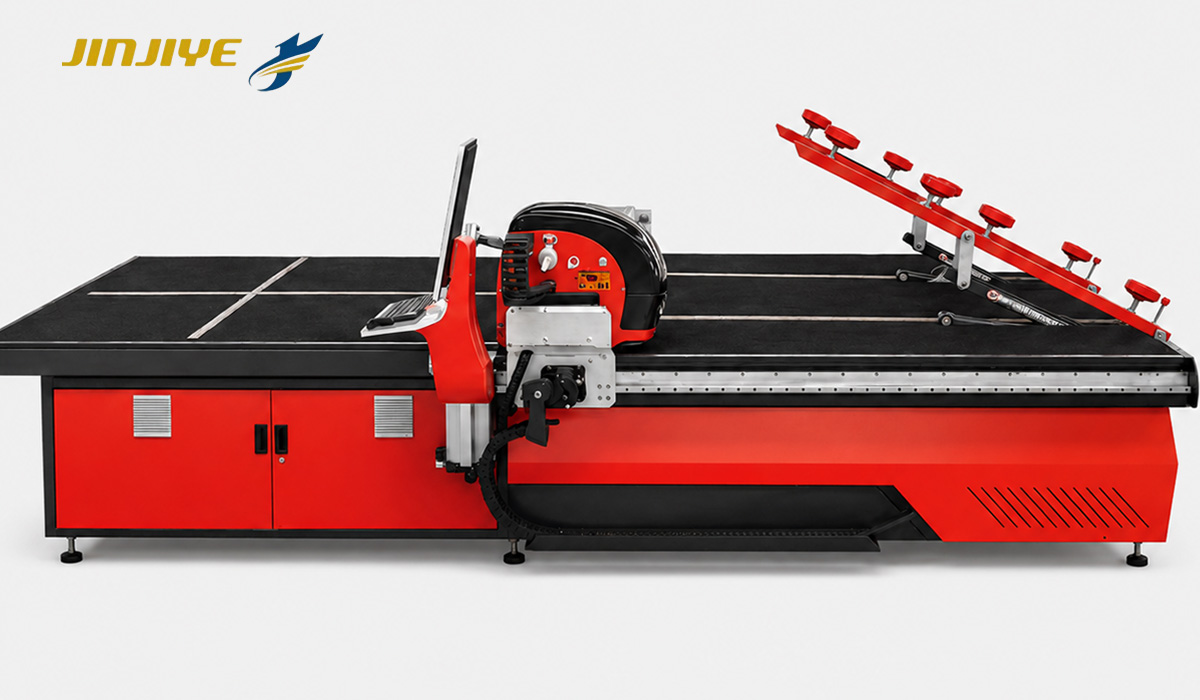
When reviewing the JINJIYE CNC glass cutting line with a loading system, match the model to your regular work as well as your largest or thickest sheet. An occasional heavy-glass order shouldn’t be the only job the supplier hears about.
“Which Wheel Was That?”
It’s an easy detail to lose during a machine trial. Everyone watches the glass, the cutting head and the finished edge. Meanwhile, the technician already knows which wheel is fitted.
Your operator needs that information too.
Wheel selection forms part of the cutting setup, together with the operating parameters. A wheel that fits the holder isn’t automatically suitable for every job within the machine’s thickness range. Nor is extra pressure a universal answer when the glass gets thicker; excessive pressure can increase splintering.
Once the trial produces acceptable pieces, write down the wheel reference with the approved settings. Include the holder reference if more than one arrangement is used.
That record becomes useful when someone orders spares six months later. “The wheel we used for the thick glass” won’t identify a replacement. A part number will.
If several wheels are supplied, they need clear identification and an explanation of their intended use. The operator should also practise the change using the manufacturer’s procedure while the supplier is still available to answer questions.
Going Back to the Earlier Job
After the thicker-glass batch, return to the first material.
This part of the trial is easy to skip. The machine has already cut it successfully, so why do it again? Because restoring a setup is part of everyday production, especially when orders arrive in small quantities.
Watch how the earlier settings are recovered. On a machine with saved setups, open the relevant entry and see what it contains. The control may recall cutting parameters while still relying on the operator to fit the specified tooling.
A saved name such as “4 mm” might work perfectly well in a shop using one agreed material at that thickness. If several glass products share it, a more specific name will save confusion later.
There’s also the question of trial adjustments. Perhaps the technician changes a setting and the result improves. Before moving on, make sure the accepted version is retained through the machine’s documented procedure. Otherwise, the operator may call up an older setup on the next shift.
You want the trial to leave behind something your team can use: identified tooling, clear settings and an understood sequence.
Keep the First Pieces
Leave room beside the demonstration area for the first pieces from each batch. Mark them so you can tell which setup produced them, then inspect them after separation.
A score line alone doesn’t give you the finished dimensions or edge condition. Agree on those requirements before the trial, using the needs of your own product and its next process.
Bring a drawing that reflects ordinary work in your factory. If narrow strips are a regular order, include them. If most jobs are simple rectangles, there’s no need to spend the demonstration cutting decorative shapes.
The timing should follow the same logic. Measure from the end of one job until an acceptable piece from the next is ready. Keep a note of the setting changes, tooling work and inspection involved.
Nobody needs to hurry through it. The useful result is knowing what your own operator will have to do, and how much of that work comes around with every change of thickness.
Take a Week’s Orders to the Supplier
Before comparing glass cutting machines, look through a recent week’s orders. Note the common thicknesses, batch sizes and sheet dimensions. Mark the places where the material changed.
That gives a supplier a much clearer picture than a minimum and maximum thickness alone.
For long runs, a more involved setup may be manageable. For short batches, convenient tooling access and clearly organised settings may deserve more weight in the buying decision. Your order mix will tell you which matters more.
Use the quotation to record what was agreed: the tooling included, the changeover work, the setup information and the operator training. Where a function was demonstrated, confirm that it belongs to the configuration being offered.
Send JINJIYE your usual glass specifications and a few representative cutting drawings. Include the awkward small batch between the larger orders. That job has to run on the machine too.